Socium — a team of developers

We build tools for
social media

We build desktop apps for people who run many social media accounts: scheduled posts, warm-up, profile design and statistics. One Socium account opens every product we make.

  • Our own products: from idea to release
  • Local: the apps run on your computer
  • More to come: new products in the works
Our products

Socium apps

An app for each network on a shared foundation: accounts, proxies, tasks and logs in one window, and one Socium account to sign in.

Thredium

Threads

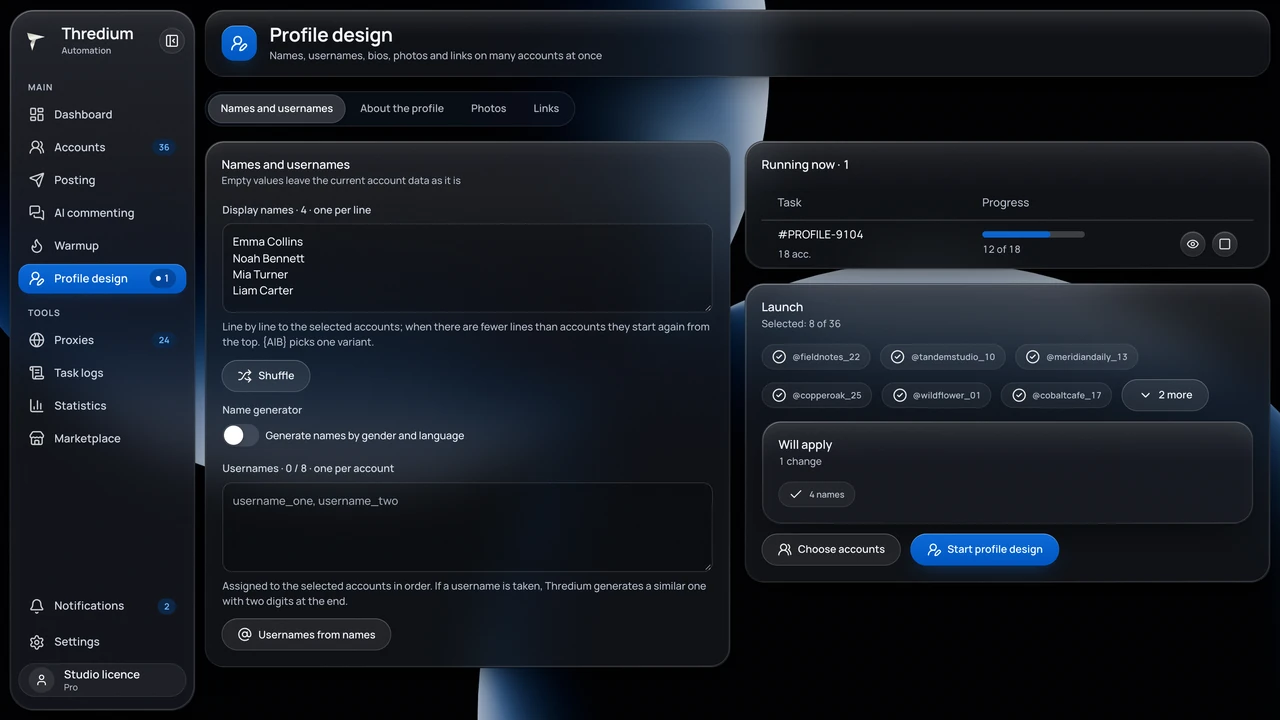
A desktop app for many Threads (Meta) accounts. Each account works in its own isolated browser profile with its own proxy. Windows and macOS.

  • Isolated browser profiles and a proxy per account
  • Posting with text variants and schedules
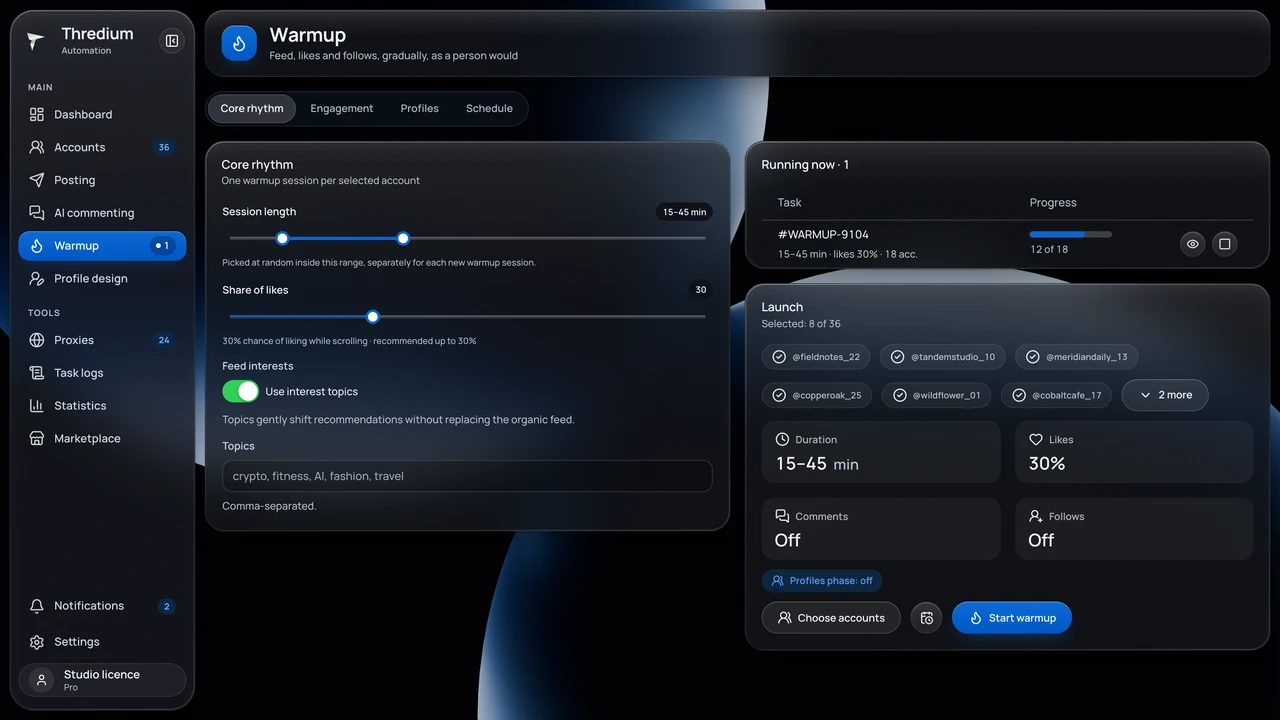
  • Warm-up: likes, views, follows and pauses
  • Scheduled tasks while the app is open
  • Profile design: name, bio, avatar, links
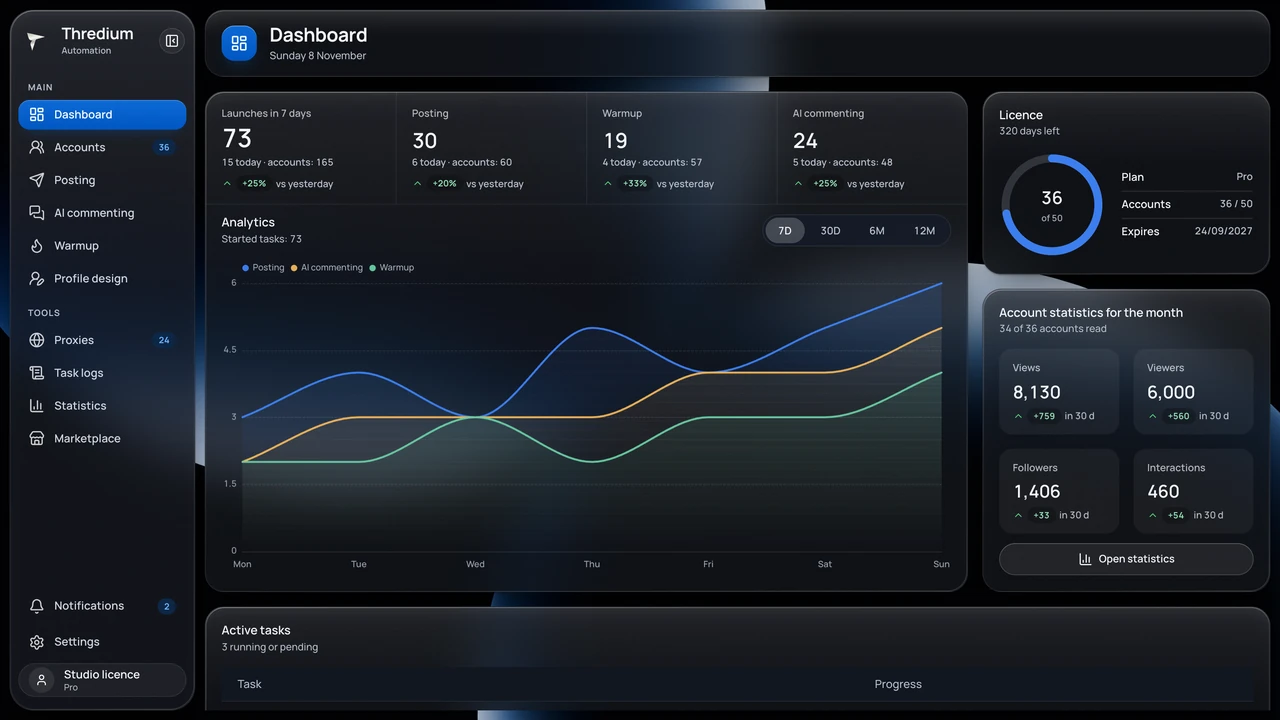
  • Task logs and statistics on the dashboard
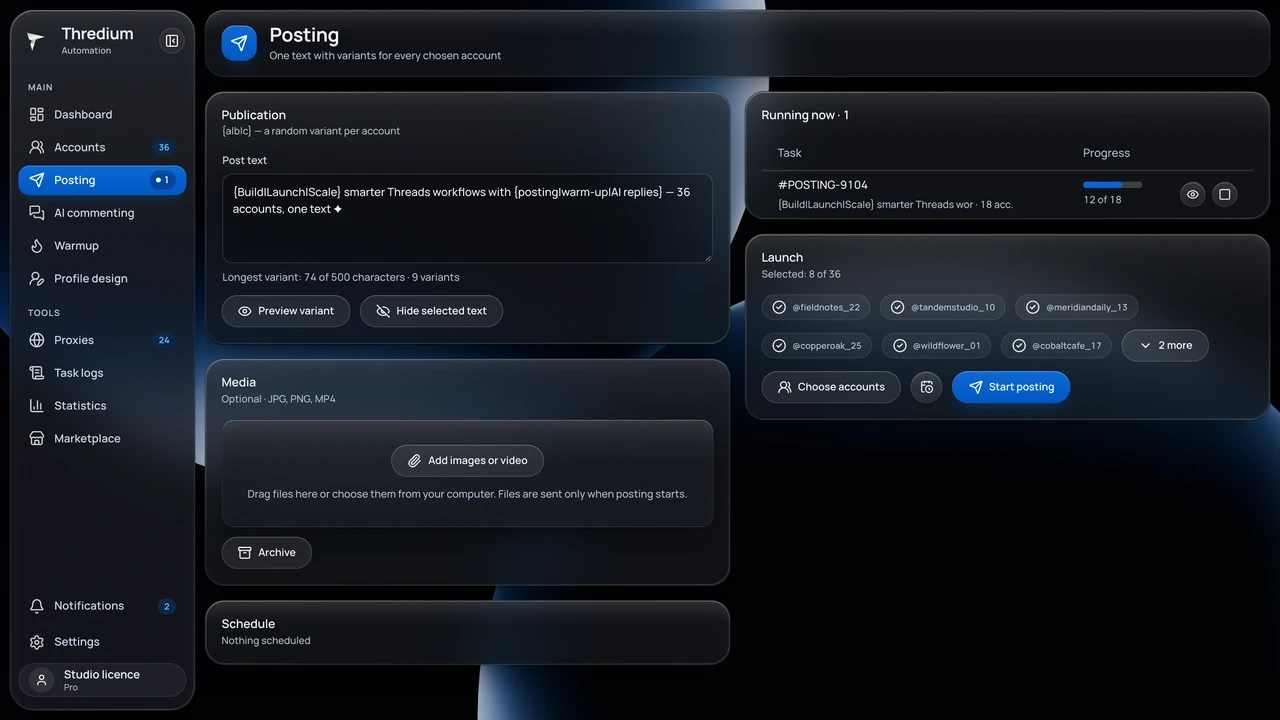
Posting in Thredium
Marketplace

Everything for social media work, in one place

Accounts, proxies, mailboxes and services for Telegram, Threads, Instagram and more. Delivered right after payment.

  • Telegram
  • Threads
  • Instagram
  • TikTok
  • Gmail
  • Proxies
  • VPN
  • Games
  • Delivered in seconds

    Paid — the item is already in My orders. No waiting for staff.

  • Delivery guarantee

    Not working at hand-over — we replace it or refund to your balance.

  • Chat with the store

    A question before buying or about an order — ask right from the item.

Open the marketplace

From account to the first task in three steps

  1. One account for all our apps: sign-in, licences, downloads and support in one cabinet.

  2. Choose the app for your network. The store, payments and balance are shared by every Socium product.

  3. The app installs on your computer and runs tasks on schedule. Updates arrive on their own.

More to come

Thredium is the first Socium product. The next apps will join the same account and store and work the same way: locally, with a proxy per account and in two languages.

How the products work

One foundation for every app

Every Socium product is built for its own network but follows the same rules.

One Socium account

Sign in to all our apps, with licences and downloads in one cabinet. A new product joins the same account.

  • One sign-in for every product
  • Licences and devices in the cabinet
  • Downloads and updates for each app
One Socium account

Shared store

Plans and add-ons for every product in one place. One balance and purchase history; a licence shows up in the cabinet right after payment.

  • One balance for all products
  • Plans by the number of accounts
  • Purchase history in the cabinet
Shared store

An app for each network

Thredium for Threads is live. Every next app will work the same way — and open with the same account.

  • Scheduled posting
  • Warm-up and profile design
  • Task log and statistics
An app for each network

Local, with your own proxy

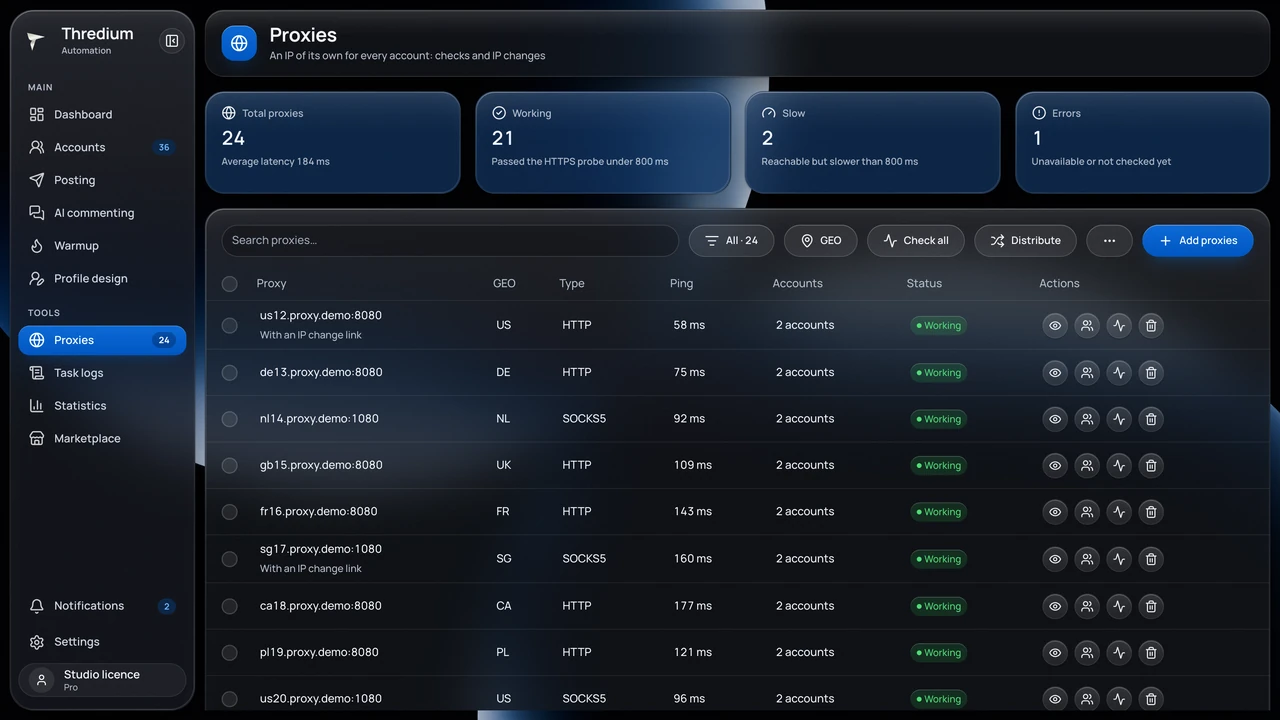
The apps run on your computer, not in the cloud. Every account gets its own proxy with a connection check.

  • Sessions and logs stay with you
  • Proxy check before work
  • Tasks run while the app is open
Local, with your own proxy

Licences and updates

Your licence is tied to your Socium account, and updates arrive in the app on their own — nothing to reinstall.

  • Updates arrive automatically
  • Your licence lives in your Socium account
  • Devices and keys in the cabinet
Licences and updates
Team

Who builds Socium

We are a small team of developers. We design, build, ship and support our apps ourselves — from the interface to the servers.

  • We build the whole product

    Design, desktop apps, the site, the cabinet and the servers — one team does it all, no contractors.

  • We ship often

    Updates come out regularly and arrive in the app on their own. Fixes don't wait for a big release.

  • We listen to users

    Support requests and suggestions go straight to the developers and decide what we build next.

  • We protect your data

    Social media accounts and sessions stay on your computer. We keep only your Socium account, licences and purchases.

  • Security comes first

    Two-factor sign-in to the cabinet, protected licences and regular updates of the apps and servers.

  • In two languages

    Apps, site, cabinet and support — in English and Russian.

Common questions

Prices and downloads for each product are on its own site. Did not find the answer? Write to our support chat.

Who are Socium?

Socium is a team of developers building desktop apps for working with social media accounts. We build the apps, the site, the cabinet and the servers ourselves and answer support ourselves. The first product is Thredium for Threads, with more in the works.

What is a Socium account?

One account for all our apps. It holds licences, downloads, purchases and the balance for every product. If you already signed up for Thredium, that is your Socium account.

Where do I buy?

In the shared Socium store: plans and add-ons for every product in one place, with one balance. A licence you buy shows up in the cabinet right away.

Where is my data kept?

On your computer: the apps run locally, not in the cloud. Our servers hold only your account, licences and purchases.

Do I need proxies?

If you run several accounts, yes. You can give every account its own proxy and check the connection.

How much do the products cost?

Each product has its own terms — see the product's site for current prices.

How do I reach the team?

Open the support chat with the button in the bottom right corner of any page, or write from the app. The developers answer themselves. Send ideas for products and new networks there too.

Doesn't automation break the networks' rules?

Automation tools must be used within each platform's rules. No app can guarantee that an account will never be restricted: follow the rules, keep reasonable limits and pauses between actions. The account owner is responsible for how the accounts are used.

Still have questions?

Write to us about our products, partnerships or ideas for new tools.